Rivian Recap: 05/08/2026
Hey there,
Here's your weekly Rivian Recap for May 8th, 2026.
We are getting the much anticipated Rivian Assistant next week (finally!), the Rivian Adventure Network is set for big time growth, and of all things, the cargo crossbars find themselves in the cross fire.
Let's dive in!
Software
Back at Autonomy & AI day in December (6 months ago!), we got our first taste of the upcoming Rivian Assistant.
I was fortunate enough to get an in person demo back then, and it was a gigantic leap forward in user experience, even in the early stages.
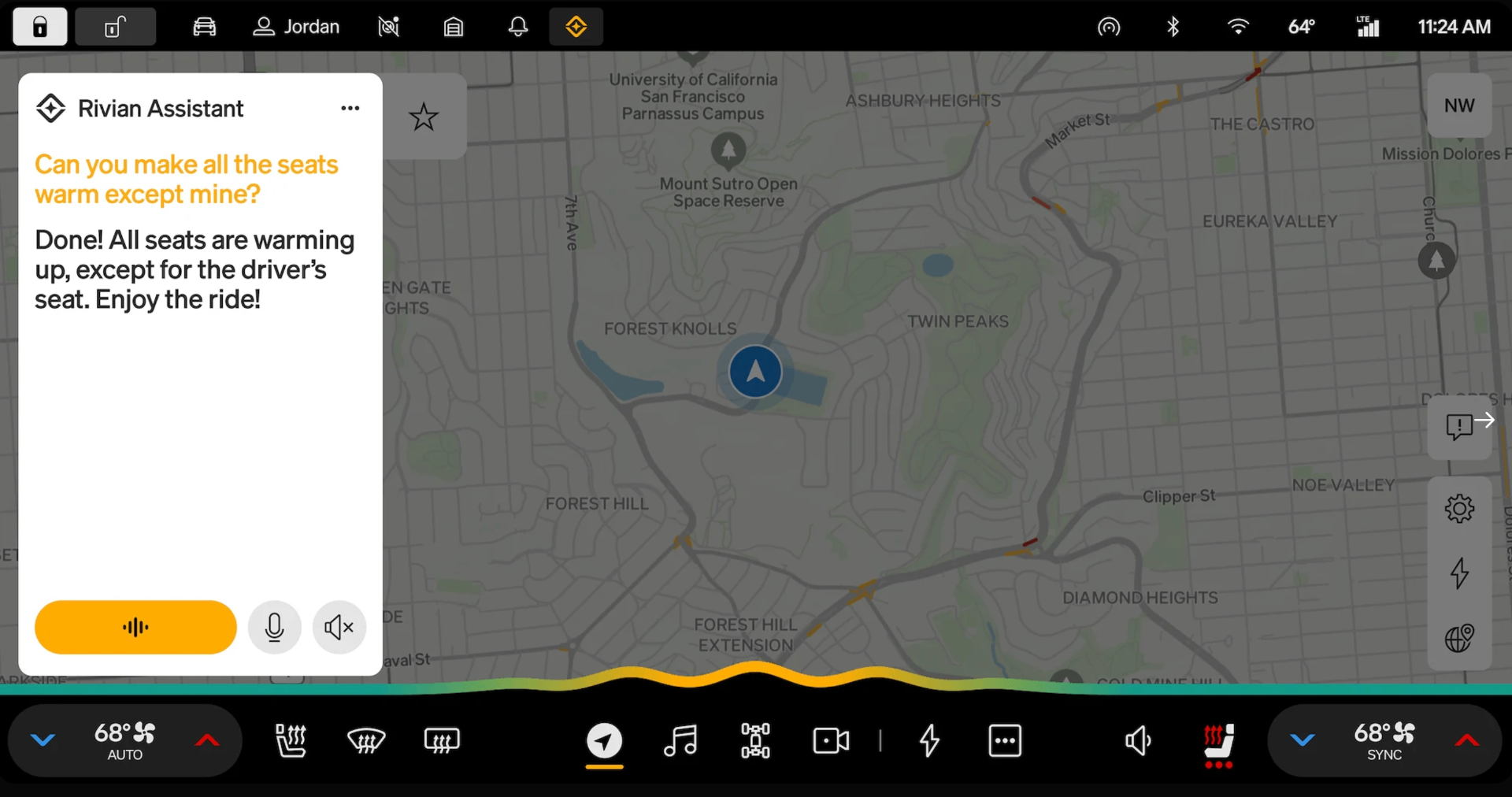
One fear I had was that the first class experience for speed would be limited to the far more powerful infotainment chip shipping in R2.
But thankfully, Rivian Assistant is shipping for the entire fleet, both Gen1 and Gen2 vehicles will benefit from this huge user experience improvement.
While this was announced back in December, it was confirmed today by Wassym who leads the software team.
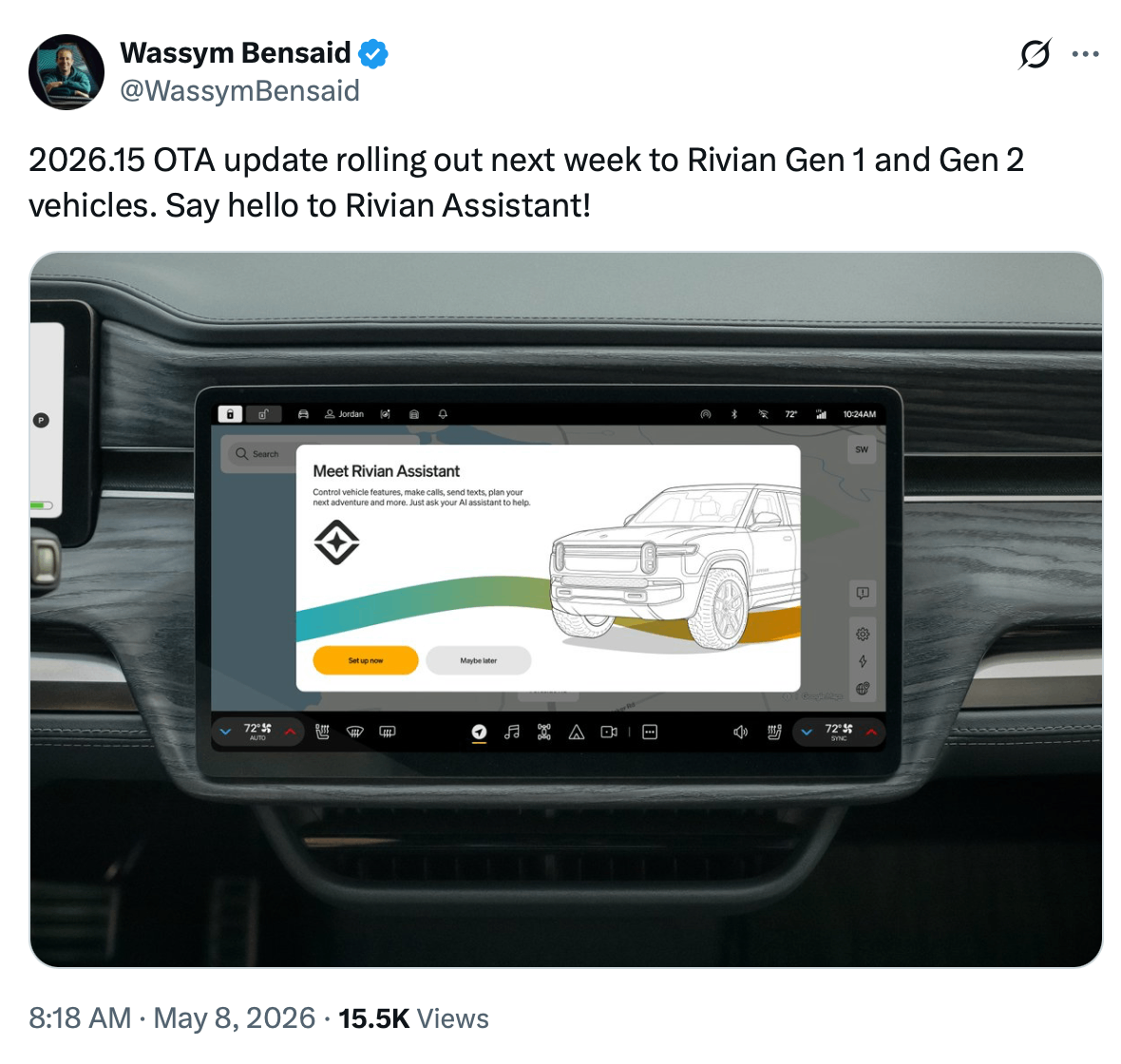
Early reports are that the experience for existing hardware has really impressive performance and responsiveness.
From what I can tell, a piece of the delay may have been a combination of getting performance to be top tier (thanks to 2026.07) and getting it to a place where it could gracefully merge with the R2 build numbers.
Some highlights about Rivian Assistant:
- Triggered by "Okay, Rivian" or "Hey, Rivian"
- Stay updated and respond to text messages completely hands-free using natural language (the #1 request from owners, based on my conversations).
- Play music, learn more about current artists. No more fumbling with the screen trying to find the song, album, or station you want to listen to.
- Reference the owners guide with your voice (no more digging through endless menus to find what you need!).
- Contextually aware to explain in-vehicle alerts, give map based information, or even weather status from your route destination.
- Personalization w/Google Calendar (create, re-schedule, or navigate to events from your calendar).
- Rivian Assistant learns preferences for things like: music, restaurants, frequent locations, etc. This & calendar can be disabled or deleted at any time.
- User profile based Rivian "Intelligence" memory can carry over to any other Rivian you drive (that has Connect+) thanks to the mobile app.
Note: The use of Rivian Assistant is limited to users of Connect+, as so many of the requests bounce out to the internet. Only available in English for now, and calendar is limited to Google Calendar at launch.
As I'm sure you picked up on it, but Rivian Assistant is coming bundled as part of the larger 2026.15 OTA update (notes here).
This update is primarily focused on the assistant, but also has a few other quality of life features baked in.
1. Secure Profiles
With more surface area for personal information if you utilize the (optional) features such as calendar integration, it's more important than ever to add security to your personal data.
If you go to Profile > Account > Security > Profile PIN (mobile app v3.12 or later), you can setup a pin to secure your account.
This pin applies to all vehicles you own or drive.
Frankly, I hope this also becomes an option for PIN to drive to use the same auth method, as multi-factor PIN is flawed, especially in remote areas.
2. Autonomy Upgrades
Improved behavior for defrost for the front driver assist cameras for increased availability of autonomy features in general.
For Gen2 specifically, Rivian lists:
"Improved smoothness and comfort of Autonomy+ features, Lane Change on Command, and Universal Hands-Free."
While this likely is focused on traffic aware cruise control, lane change smoothness, and overall lane keeping I have a specific hope for this build.
Ever since Rivian dropped Mobileye for their own models, we've seen a real (and sometimes scary) behavior around left sided exit ramps or merging on-ramp behavior where the car fails to center like a human.
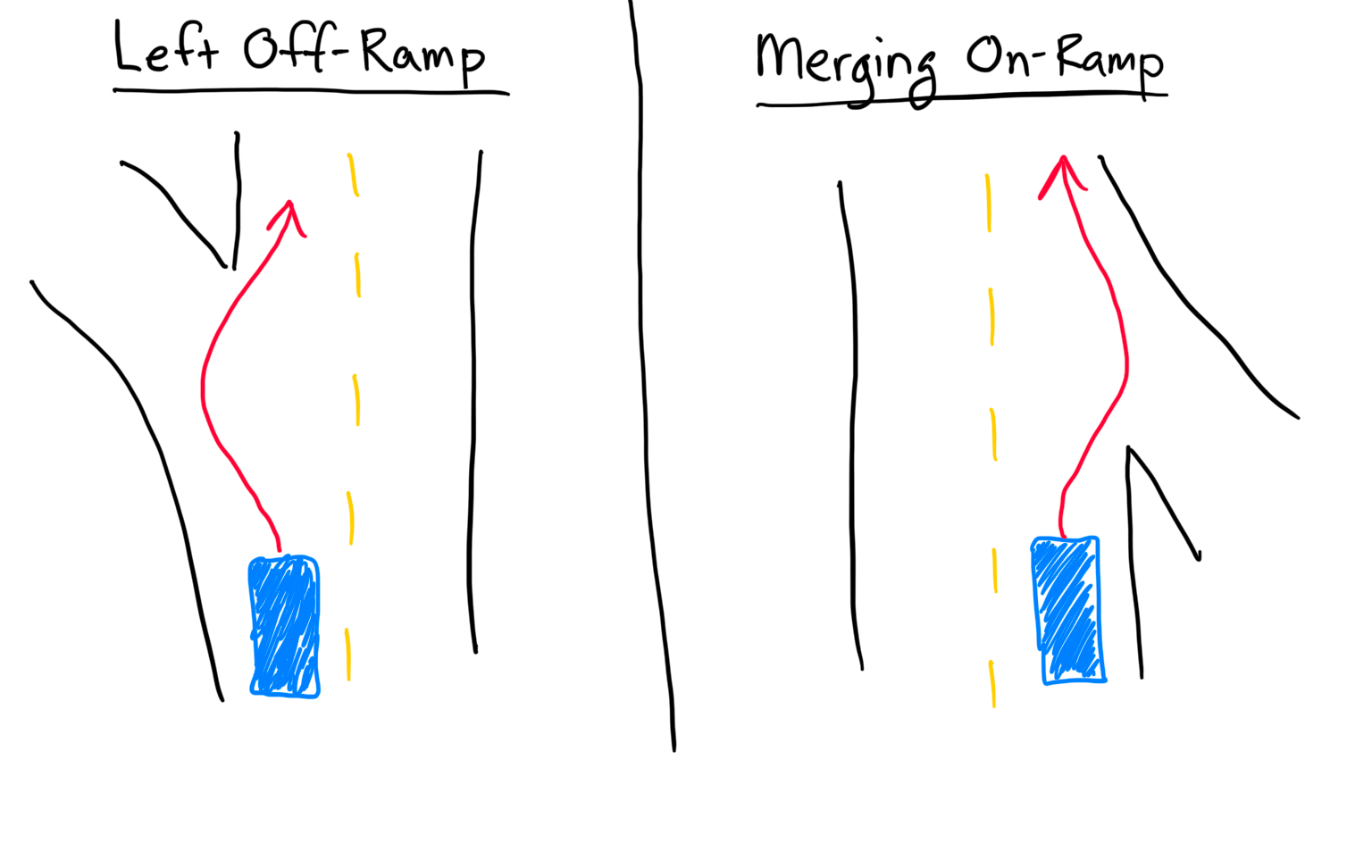
This will be one of the first things I test after getting 2026.15, as there are two off ramps in particular in my area back-to-back that have this behavior and it's definitely a regression vs Mobileye.
Hardware
With customer deliveries of R2 slated for June (just a few weeks away!), we're getting a better look at what R2 has to offer, and setting the stage for an improved user experience despite an influx of new owners.
Here's a fun inside look at driving R2, with a special appearance by Rebelle Rally winner Lilly Macaruso (who was fun to hang with in Joshua Tree).
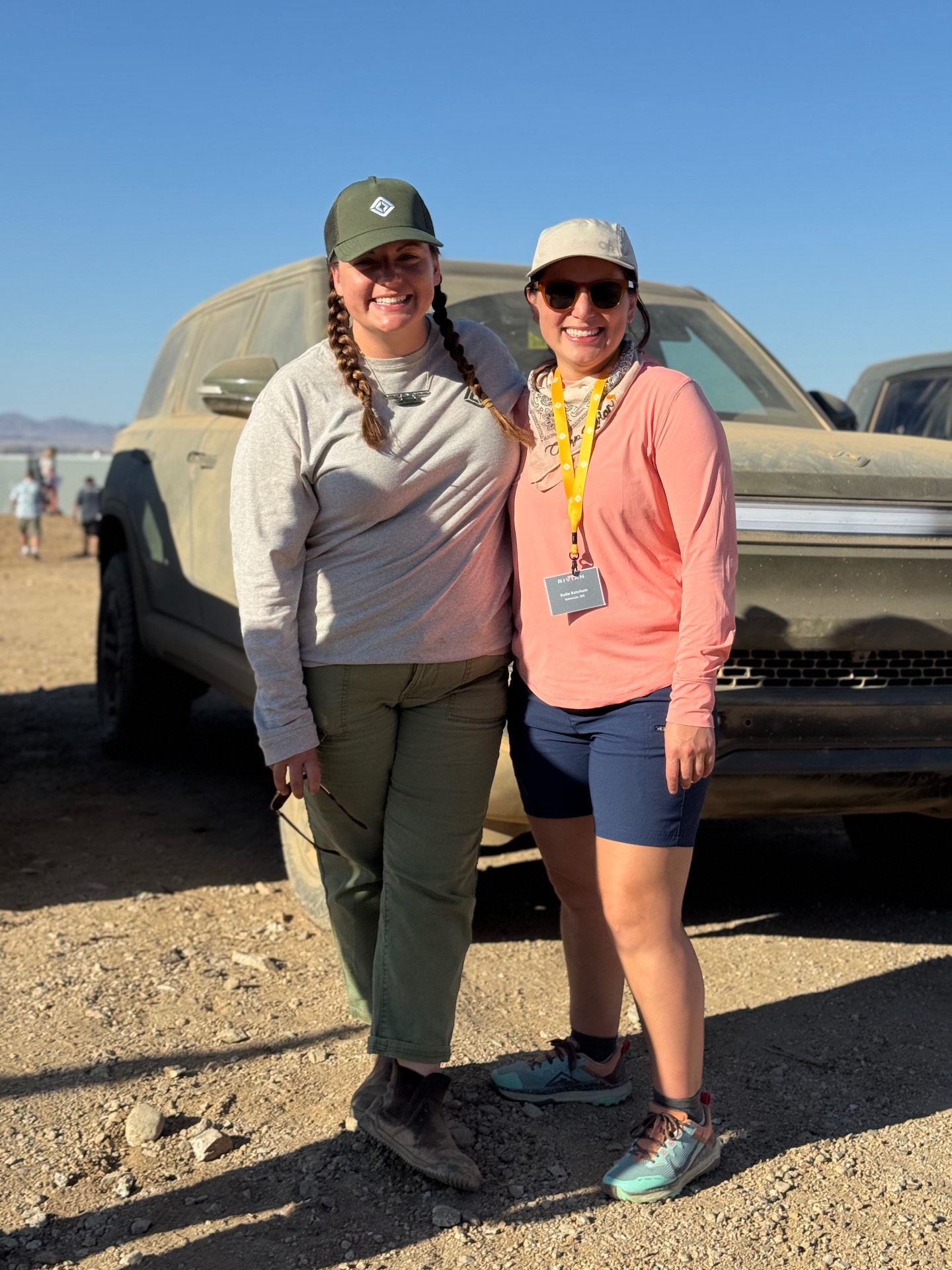
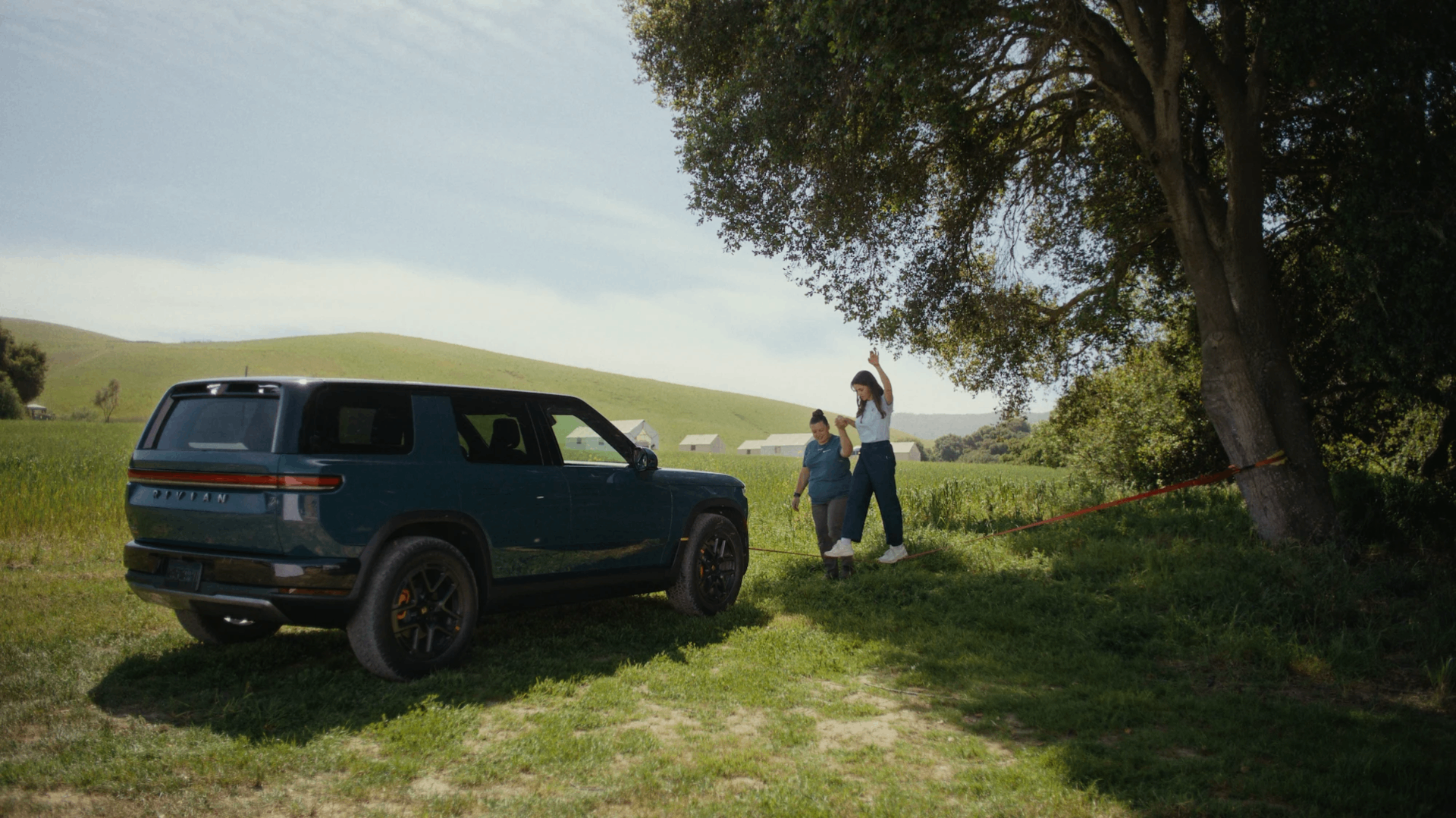
While this is designed as a highlight reel for how fun and capable R2 really is vs other midsize competition, it reinforced my biggest question.
How is conserve mode going to work with R2?
In Gen2 R1, conserve is very specific (and only a "mode" for tri and quad motor vehicles) where it enables range maximizing motor behavior.
Essentially, it works identically to "all purpose" from dual-motors, where there is a clutch disconnect to prefer 2wd (front) when possible.
At low speeds, hard acceleration, or loss of traction, the rear end of Gen2 R1 in this drive type quickly reconnects.
Otherwise, R1 will try to run in front wheel drive for max range.
But with R2, things are a bit different, as R2 is a rear wheel drive bias, all models are either single motor (rear) or dual-motor, yet all of them list "conserve" as a drive mode.

I can only imagine that at minimum, it puts the dual motor vehicles into a strong RWD bias, in addition to throttle response, and possibly HVAC, too.
The follow-up question has to do with EPA range figures.
The reason for R1 dual motor to have their "key up" behavior to be this clutch disconnect is to advertise an >400 mile range, despite tri and quad having similar range when in similar drive modes.
For the tri and quad motors, the listed EPA is a blend of conserve and sport mode, for a number isn't quite all purpose or any specific drive mode.
Given that R2 performance is the only one with a sport mode, yet it has the exact same EPA range as the other trims with the same size battery and tires, this leads me to believe that "all purpose" on R2 may in fact be AWD.
Hopefully we get an article from Rivian soon enough to clear this up, but permanent AWD is far superior in terms of driving experience.
Next, we got some good news about a partnership that should lead to a notable expansion of the Rivian Adventure Network, which is the DC fast charging network from Rivian.
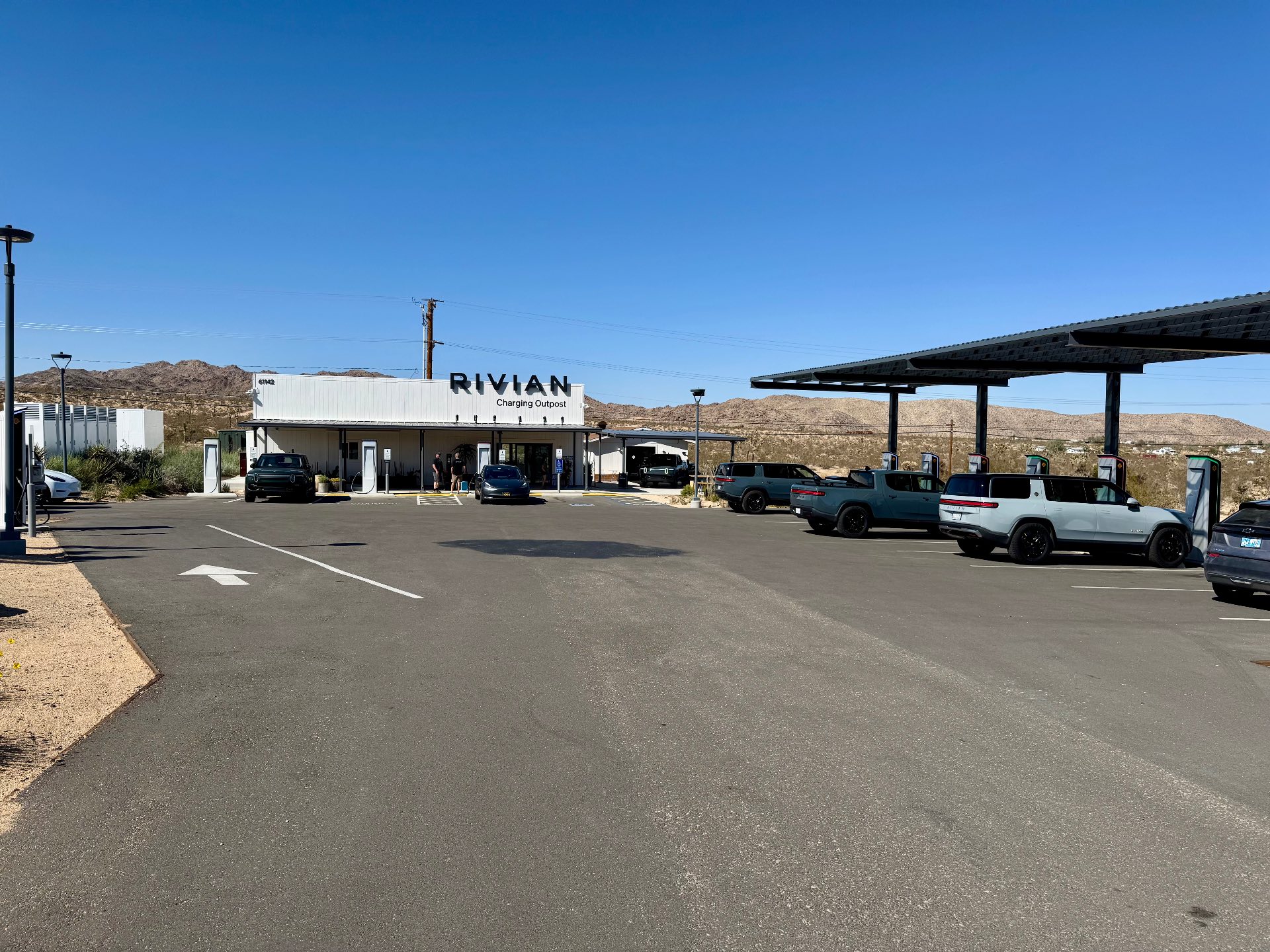
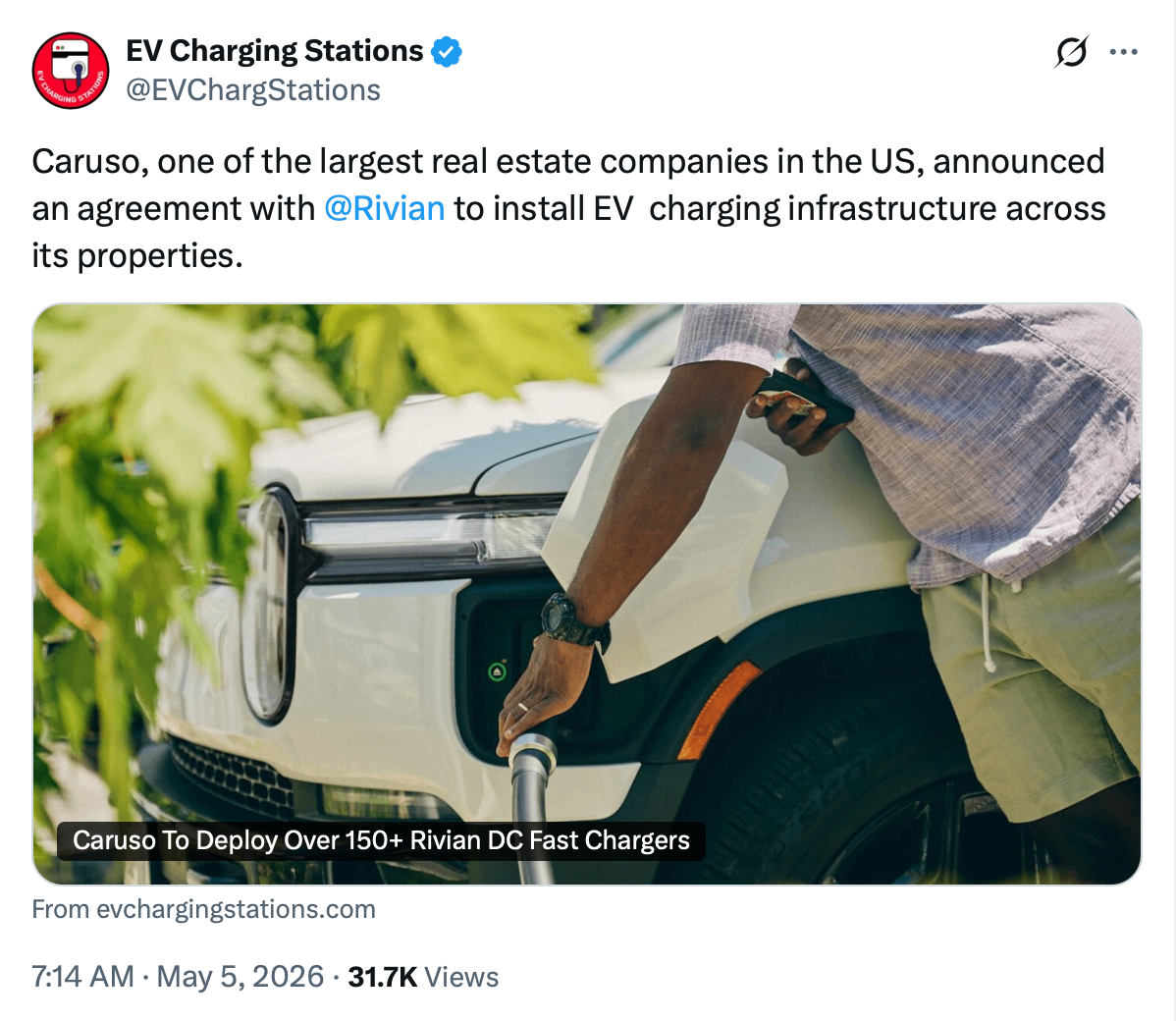
In addition to the new partnership, we also learned from this in depth fast charging article, that most DCFC sites are capable of 2x the dispensers.
This means your favorite Rivian charging sites could readily double the available throughput, keeping up with demand from the influx of R2 drivers.
And I believe we will see a big upswing in cables being swapped from CCS1 to NACS. I was surprised recently when I went to a brand new installation in Ellensburg, WA that was 100% CCS1 cables.
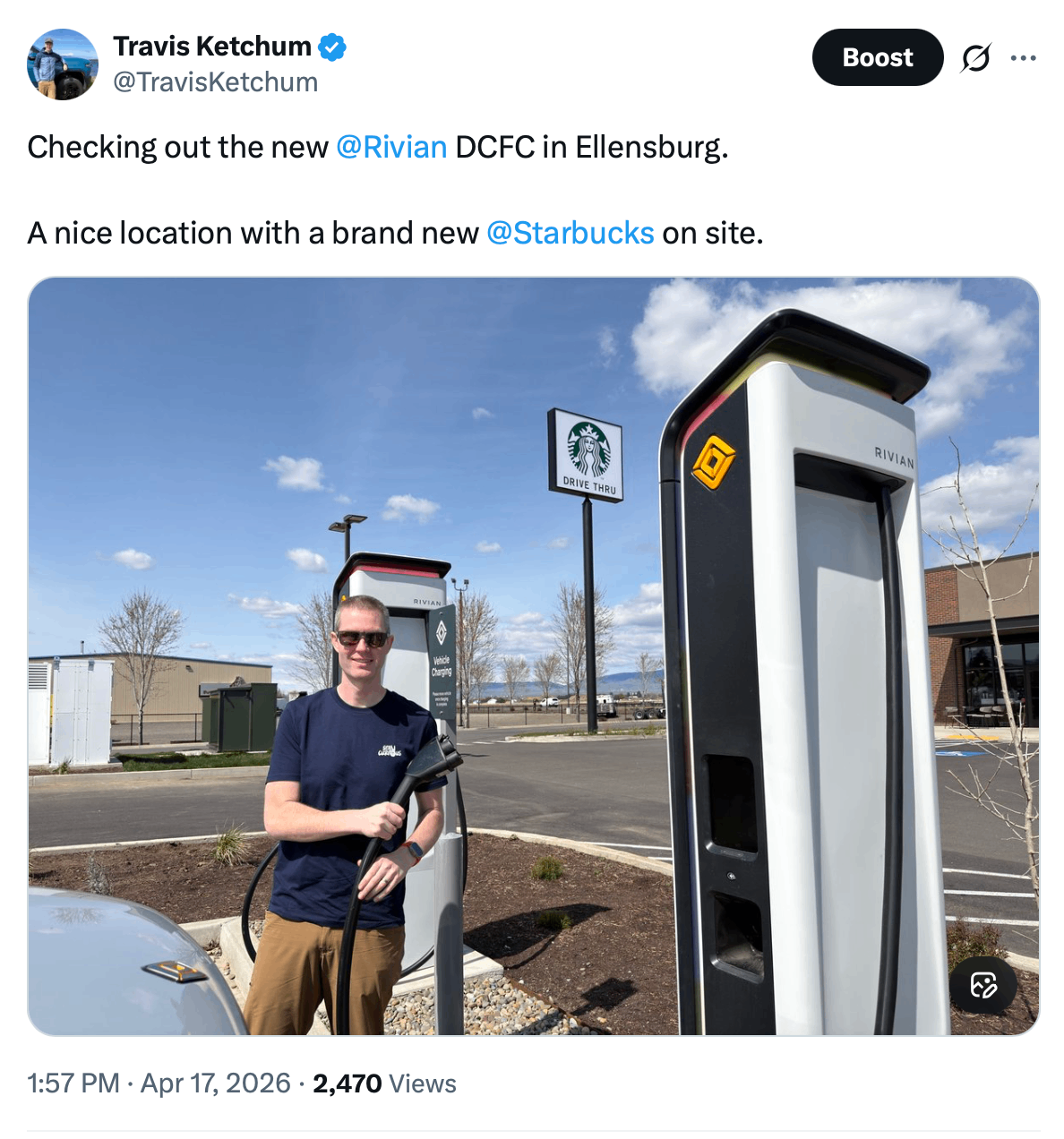
In the recent past, the biggest knock to these station has been pricing, but more and more are now priced reasonably. This Ellensburg location, for example, was actually cheaper than the multiple nearby Tesla Superchargers (plug and charge rates). So that's a win!
Lastly, the accessory game for R2 finds one of the most popular options in the crossfire after an unforced error in communication.
At the SXSW west event in interviews, multiple Rivian employees and executives mentioned that the crossbars would be compatible across R1 and R2, which was exciting for those already invested.
This seemed peculiar given that you could visually see that the mounting ports seemed to be a different design.
Well...
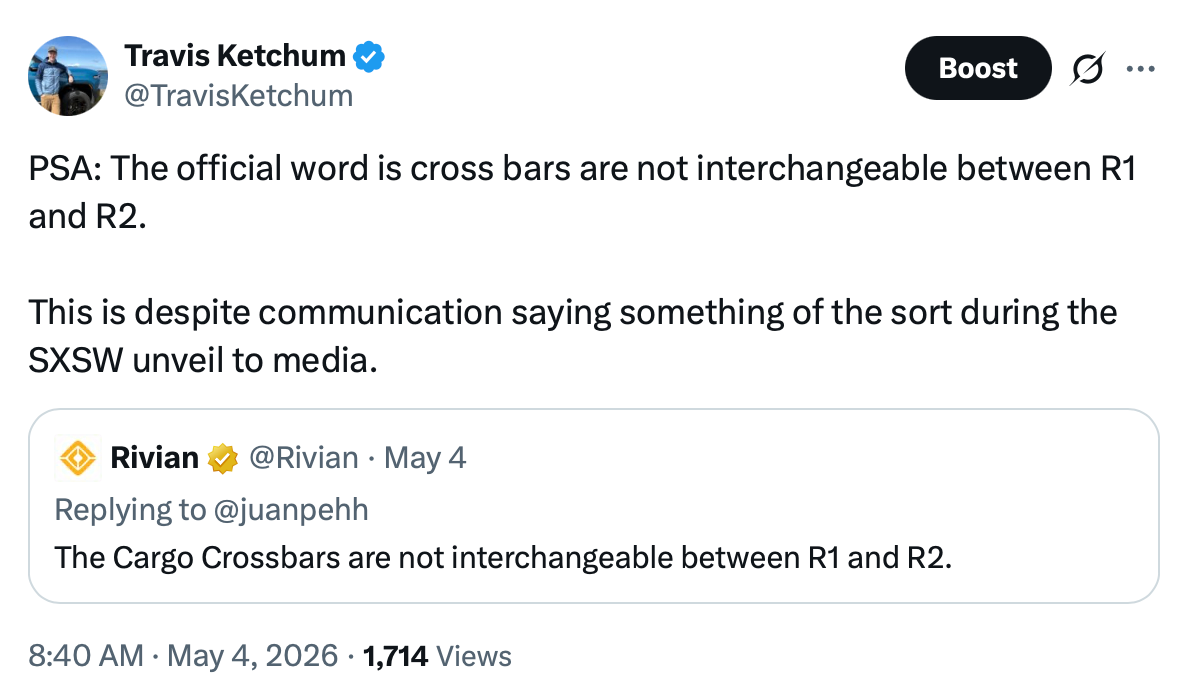
While not super surprising, the cross bars are NOT interchangeable across models. Likely due to both mounting port and width differences.
Honestly, this would've been totally fine had this been properly and consistently communicated from the start. How this detail was conflated early on is the part that's the biggest head scratcher.
My best guess is that there is a partial truth here.
We may see a new cross bar design for R2 that works on R1, but not the other way around. Which is totally fine! It just needed to be clear.
It's also unfortunate that they didn't get clear about this until *after* the recent spring sale on R1 cargo cross bars. If you picked up a set during the sale with the intention of using them on R2 as well, this should be noted.
Community
I mentioned last week about the beach cleanup with my local Emerald City Rivian Cub, which was a great reminder to get involved with your local club if you haven't already.
One of the members there had the Stay Curious sticker on their truck which definitely makes me happy ✌️.
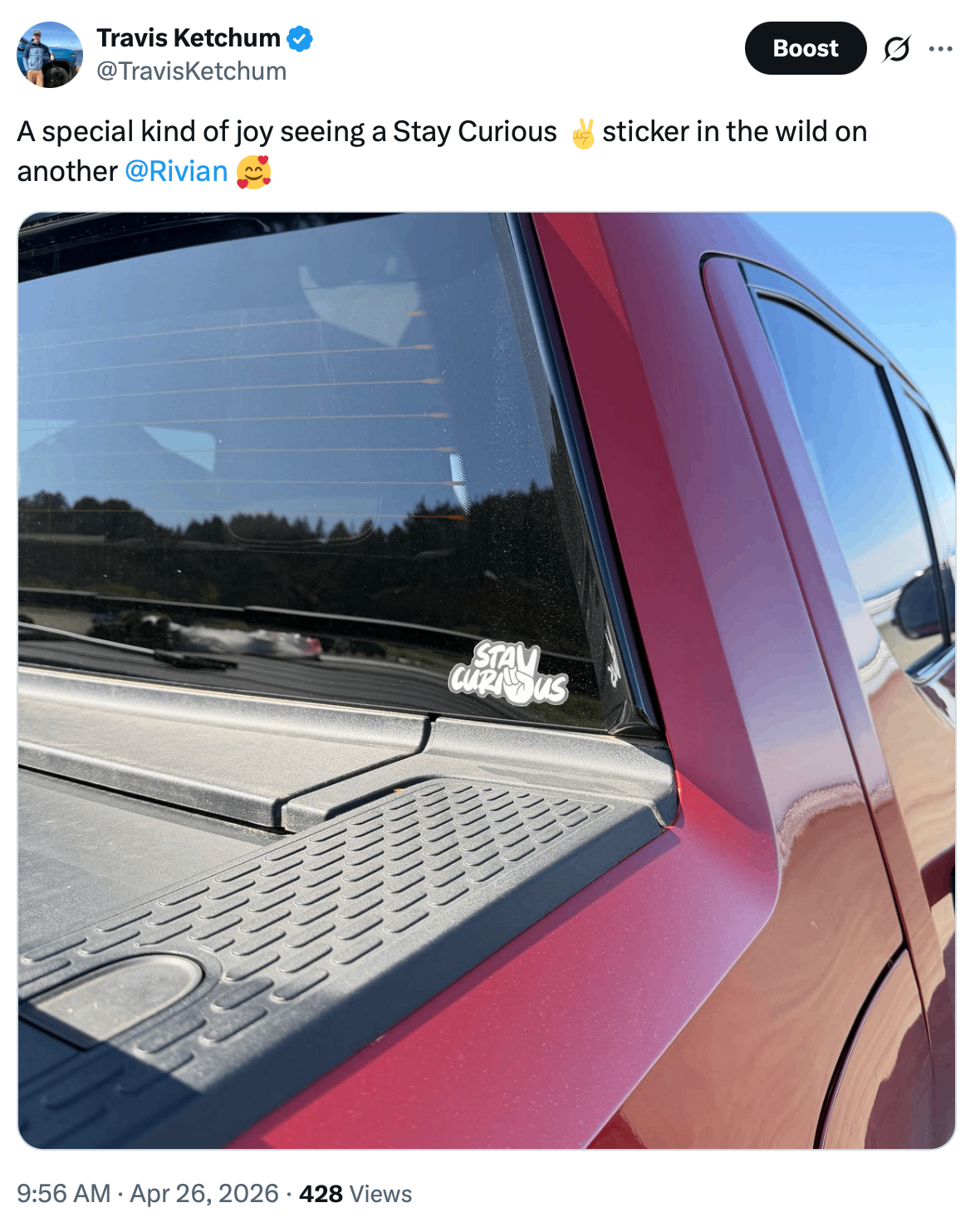
Don't forget there's a $2 discount on stickers for a limited time to celebrate the R2 launch. Use the code "R2LAUNCH" here and I'll send you one by hand.
I just launched a new comparison tool this week to help you directly compare the best EVs on the market by spec and ideal use case.
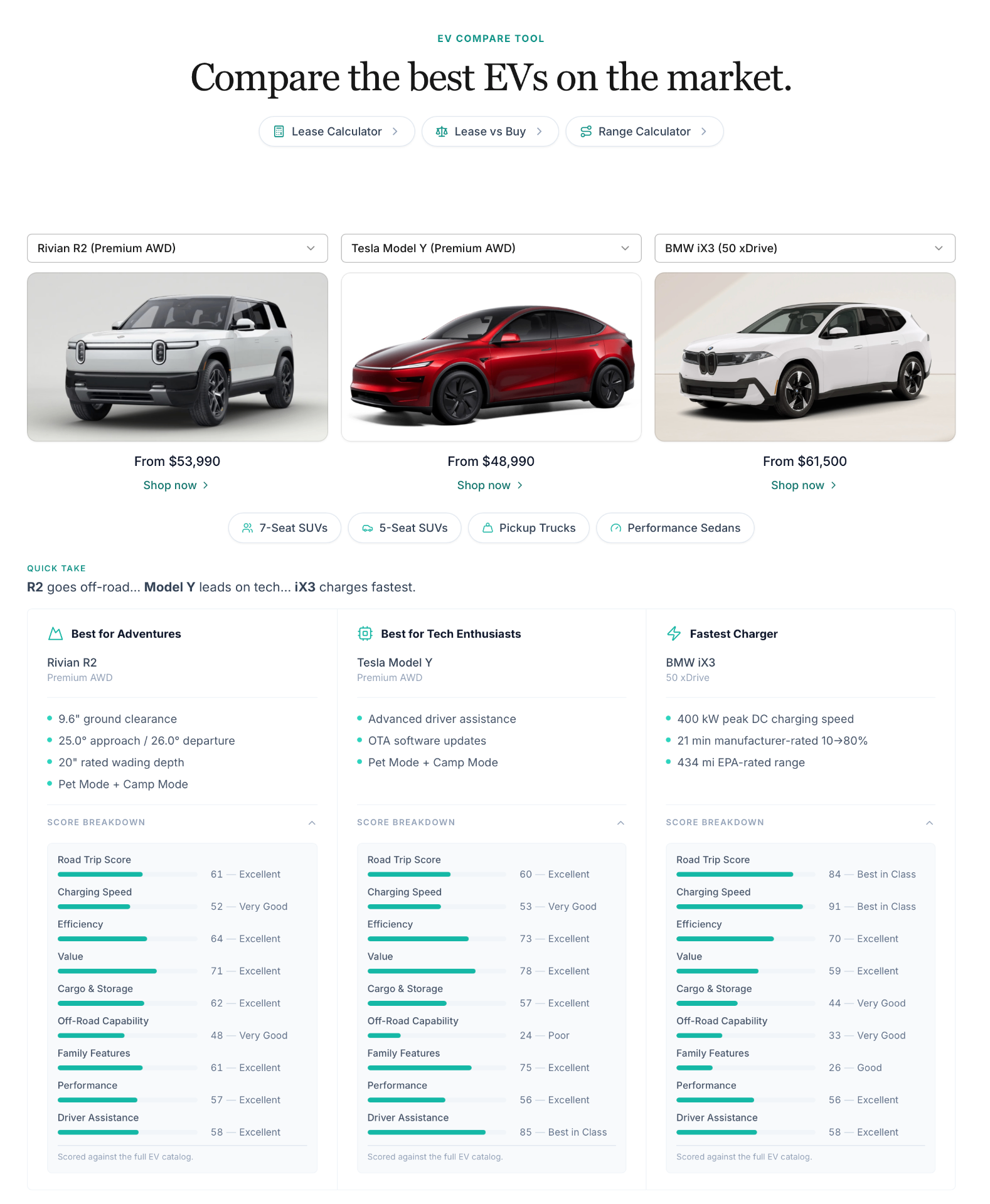
I've baked in a catalog that includes some of the best EV experiences on the market so you can compare and contrast which best suits your needs.
Of course I love what Rivian has to offer, but at the end of the day I want to help everyone get paired with the right vehicle for their specific needs.
Maybe that's family hauling, a road trip warrior, or the ultimate camping rig.
I just want to see you paired with the best vehicle for you.
Hopefully this comparison tool is useful in that journey.
Definitely let me know what you think, as I shipped some big meaningful feature improvements within the first 24 hours.
My hope is to make this the most useful EV comparison tool for high quality, modern EVs without being super complicated or abstract.
Worth Checking Out - Rivian Roamer
As I linked to during the software section this week, Rivian Roamer is a great resource for vehicle tracking and telematics (drive & charging metrics).
I have it configured on both of our vehicles so I can see charge sessions, drive efficiency over time (like trips), and know as soon as a vehicle is flagged to receive an update so I can wake it up and nudge it along.
Basic vehicle information and software flagging is always free (which will be really useful if your anxious to get Rivian Assistant), but you can also get a free month of the telematics premium tracking as we enter road trip season.
Get your free month of Rivian Roamer+ with my referral link here.
My thanks to Rivian Roamer for helping make this newsletter possible.
Latest Deals
We are sliding right into mid-May in a hurry.
The May offers have slightly increased finance rates (1.99%), and a focus on Rivian trying to clear out the last of the R1S dual-standard through leases.
I still don't recommend the dual-standard at this point unless you have a specific use case you know it will be perfect for, and even then I'd encourage you to look hard at the lease option.
Here's what's sticking out for deals this week:
Get 1.99% for 60 months on these builds:
Dual Large w/Performance [Lease vs Buy Example]:
2026 R1S Dual-Large w/Performance (Premium Audio)
2026 R1T Dual-Large w/Performance (Premium Audio, Utility V2 Tonneau)
[Only the Dual Max/Performance also qualifies for $3k lease bonus]
Dual Max w/Performance [Lease vs Buy Example]:
2026 R1S Dual-Max w/Performance (Premium Audio)
2026 R1T Dual-Max w/Performance (Premium Audio, Utility, V2 Tonneau)
Tri-Max [Lease vs Buy Example]:
*If you need to chat with a sales advisor and want a direct introduction, I'm happy to make that happen, just reply and I'll get you in touch.*
All referrals also get 3 months of free charging on the Rivian Adventure Network.
I hope enjoyed this weeks edition of the Rivian Recap. Let me know what you'd like to see more of in future editions!
Even if you just want to say hi, hit reply – I'd love to get to know you 👋
Stay curious ✌️,
Travis Ketchum
P.S. Thinking about buying a new Rivian?
Make sure you use a referral code. A friend, a neighbor, or someone who has helped you along the way.
Here's mine: TRAVIS4699411
P.P.S. Here are some tools and resources you may find useful: